
How to evaluate 3D Printer Slicer by examining documentation for shortlisting
When a product development team reviews a 3d printer slicer, the first question is not which interface looks easiest. It is whether the available documentation gives enough evidence to compare the software with the intended work, printer context, materials, and internal review process. A disciplined shortlist separates what the page states from what the team still needs to establish.

Describe the operating context before comparing features
Start with the work the team expects to support. The ideaMaker page lists rapid prototyping, architectural models, jigs and fixtures, rapid tooling, end-use parts, and low-volume production. These examples create a useful starting frame, but they do not prove that every listed use is suitable for every printer, material, or project. Record the relevant application, then ask which documented capabilities bear directly on it.
This distinction matters because a slicer can be reviewed at several levels. One level concerns the work category. Another concerns the printer and material combination. A third concerns how much control the team needs over individual parts of a model. A shortlist is stronger when these levels remain separate rather than being compressed into a broad claim about software quality.
Identify compatibility and responsibility questions
Documentation should make the technical scope visible. The page describes profiles for Raise3D materials, including filaments and resins, and identifies different profile strategies for surface quality and print speed. It also lists FFF, Dual IDEX, flexible and fiber-reinforced filaments, and an enclosed build chamber among its supported areas. These statements can help a team organize questions about the target setup. They should not be extended into a general compatibility conclusion for equipment or materials that the page does not name.
The same discipline applies to system requirements. The page states that, when using the RMS220 printer, the NVIDIA GeForce series is recommended, with the NVIDIA GeForce RTX 4070 given as an example. That is a model-specific statement. A procurement record should therefore preserve the printer context beside the requirement, instead of treating it as a universal hardware rule for every slicer installation.
Use page-level evidence carefully
A useful review asks what the software lets the operator inspect before committing to a print. The official ideaMaker page states that the software previews final printing results by simulating the tool path and displaying information such as speed, layer height, extruder, and structure type. This is the one concrete anchor to carry into the review because it connects the variation keyword ideamaker download with a documented preview function. It supports a question about review visibility; it does not establish print performance or suitability beyond that stated scope.
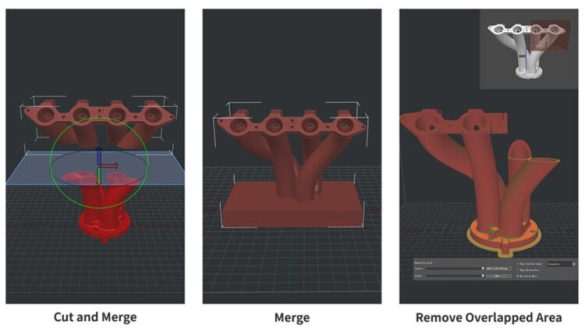
Parameter control is another evidence point. The page says that settings for specific parts of loaded models can be changed by group, layers, and volume. For a development team, this suggests a practical screening question: does the documented control model match the way engineers divide responsibility across a part or assembly? The answer should be recorded as a requirement match, an open question, or an out-of-scope item. Avoid converting the existence of a setting into an assumption about the final result.
The page also describes an advanced user interface that supports more complex operations than many other slicers. Because that comparison is broad, it is best used as a prompt for demonstration criteria rather than as a final ranking. Define the operation the team needs to perform, then note whether the documentation explains the relevant workflow clearly enough for a fair review.
Turn evidence into a defensible shortlist
Use a compact record for each candidate. First capture the exact page statement. Next connect it to a requirement, such as material profiles, selective parameter control, preview information, or a stated printer-specific system condition. Then mark the boundary of the evidence. This prevents a documented feature from silently becoming a claim about reliability, output quality, or broad device support.
- Define the intended application using the documented examples, such as rapid prototyping, jigs and fixtures, or low-volume production.
- Map the target material and printer context against the stated profiles and listed areas, including filaments, resins, FFF, and Dual IDEX.
- Review whether tool-path simulation and displayed details such as speed and layer height support the team’s screening questions.
- Record system conditions with their stated scope, such as the NVIDIA recommendation given for use with the RMS220 printer.
A shortlist should also preserve unresolved questions for the next technical discussion. Ask which printer and material combinations are in scope, which model regions require selective settings, what preview information reviewers need, and whether the stated hardware condition applies to the proposed workflow. These questions are more useful than a simple feature count because they expose the assumptions that could change the purchasing decision.
Finally, assess the workflow rather than the feature list alone. The page describes a software workflow for adopting new materials, refining slicing, scheduling print planning, and monitoring printing tasks. Those activities can become headings in an internal review record. Match each heading to the team’s process, cite the supporting page statement, and keep any conclusion limited to the evidence available. Used this way, Raise3D is a documented reference point for a structured shortlist, not a substitute for the team’s own technical judgment.